

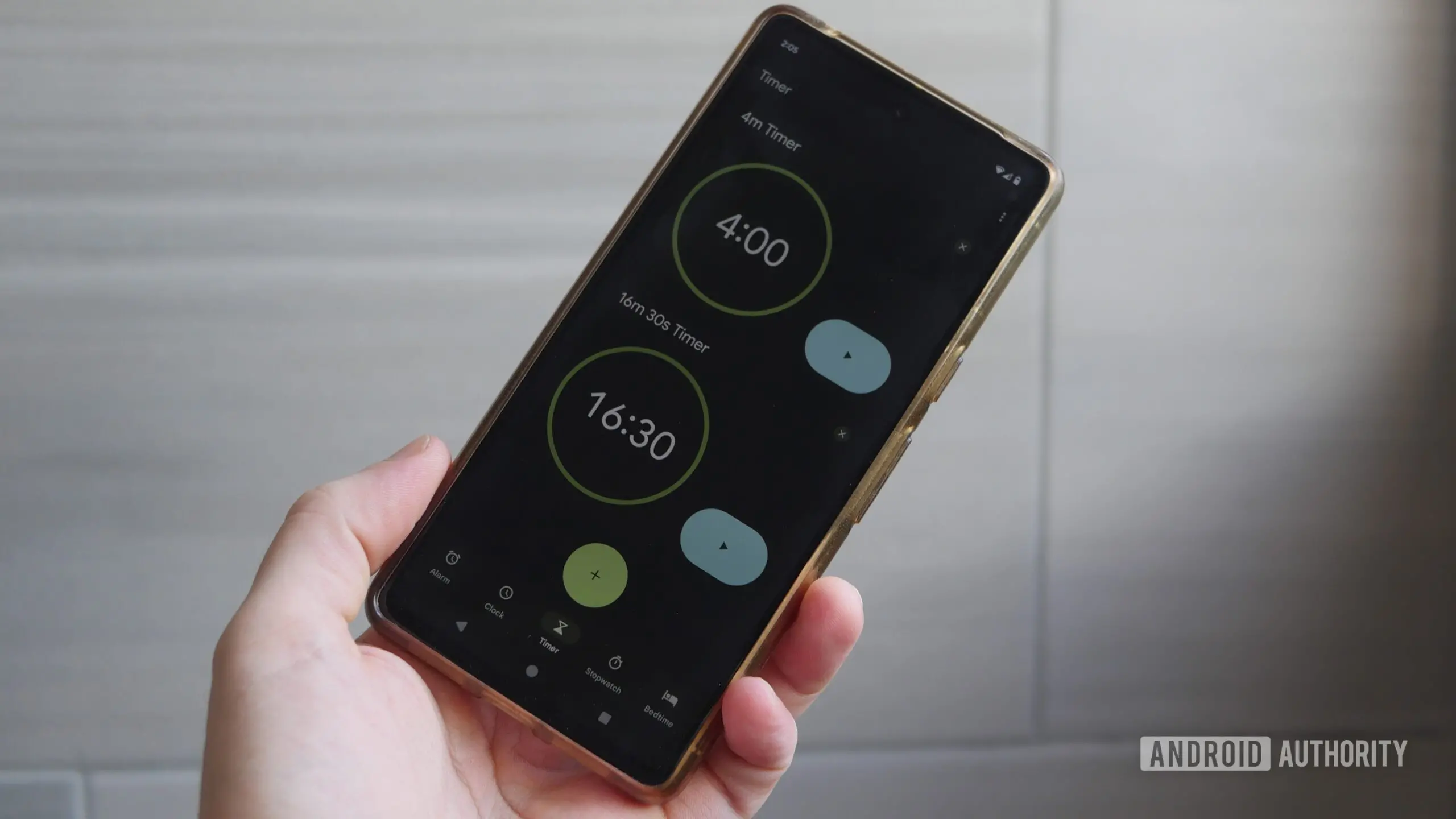
After years of relying on static notifications and a simple status bar icon, the Google Clock app is finally embracing Android's modern Live Updates system. The latest version of the app, v9.0, now displays a running stopwatch or timer as a dynamic, interactive Live Update directly on the status bar, lock screen, and even the always-on display (AOD). This change marks a significant improvement in user experience, as it provides real-time visibility and quick access to controls without needing to unlock the phone or open the app.
What Are Live Updates?
Introduced in Android 12 as part of the "Rich Ongoing Notifications" API and refined in later versions, Live Updates allow apps to post persistent, interactive notifications that occupy a dedicated space on the status bar and lock screen. Unlike standard notifications, Live Updates are designed for long-running tasks such as navigation, workout tracking, or—now—timekeeping. They offer a more prominent and visually consistent experience than the older "ongoing notification" pattern, which often looked similar to other alerts and could be easily overlooked.
For the Google Clock app, this means that when you start a timer or activate the stopwatch and then switch to another app or turn off the screen, the running time remains visible in a compact but informative format. Tapping on the Live Update expands it to reveal additional controls, allowing users to pause, resume, or stop the timer without navigating back to the Clock app.
Before and After: The Old Approach vs. Live Updates
Previously, the Clock app would show a small icon in the status bar—a simple clock or hourglass—and post a standard notification that provided basic controls like pause or cancel. However, that notification was not always easy to interact with on the lock screen, and the always-on display would often show a static timer value that did not update in real time, creating a frustrating experience where the timer appeared frozen even though it was still ticking away in the background.
With the new Live Updates implementation, the timer on the AOD now updates every second, matching the behavior on the lock screen. The status bar shows a highlighted icon that is more visually distinct, and the expanded view provides buttons for pause, resume, and reset. This change aligns the Clock app with other system-level Live Updates like those from Google Maps or workout apps, making it feel more integrated into the Android ecosystem.
How to Get the Update
The feature is rolling out as part of Google Clock version 9.0, which is available for download from the Google Play Store. However, it is a server-side rollout, meaning that simply updating the app does not guarantee immediate access. Google typically enables new features gradually to monitor performance and catch bugs. Users on Android 17 (including QPR2 Beta 1) have reported seeing the Live Update functionality, and it is expected to work on stable Android 17 as well. For those on earlier versions of Android, the feature may not appear unless they have the necessary OS-level support—Live Updates are available starting from Android 12, but Google may have optimized this specific implementation for Android 17.
If you have updated to v9.0 and do not see the Live Updates, you may need to wait for a few days or weeks until the server-side toggle is activated for your account. Alternatively, checking for app updates again or clearing the app's cache might help, but these are not guaranteed to force the feature to appear.
Background: Google Clock's Feature History
The Google Clock app has been a staple on Android devices since the early days, but it has evolved slowly compared to other Google apps. Its last major update before this one arrived in March 2026, which introduced new weather icons in the world clock screen. That update was primarily visual, whereas the Live Updates integration is a functional improvement that addresses a long-standing user complaint: the inability to see a timer's remaining time in a glanceable, always-on manner.
Users have long requested better timer management, especially for cooking, workouts, or productivity techniques like the Pomodoro method. Prior workarounds included third-party apps or using the At A Glance widget, which could show a running timer but only if configured correctly. The new Live Updates eliminate the need for such workarounds by embedding the timer directly into the system UI.
Technical Implementation and User Experience
Under the hood, Google's implementation leverages the Android `NotificationCompat.DecoratedCustomViewStyle` and the `LockscreenVisibility` flags to ensure the Live Update appears on all surfaces. The status bar icon uses a new custom layout that includes a circular progress indicator around the timer icon, visually indicating the remaining time at a glance. When expanded, the notification includes a semi-transparent background with large, easy-to-tap buttons.
Accessibility has also been considered: TalkBack now announces changes in the timer value when the Live Update is focused, providing audio feedback for users with visual impairments. The interactive controls are compatible with accessibility services, making them usable without precise touch gestures.
One limitation noted by early testers is that the Live Update does not support multiple simultaneous timers yet. If you set more than one timer, only the most recently started timer will appear as a Live Update. The others still show up as standard notifications. Google may expand this in future updates, but for now, single-timer users will benefit the most.
Comparison with Other Clock Apps
Third-party clock apps like Timely, Alarm Clock Xtreme, or Samsung's Clock have offered customizable timer displays for years, including persistent notifications and widget support. However, the integration of Live Updates into the stock Google Clock app brings a level of polish and system-level consistency that third-party apps cannot match without deep Android integration. For example, the Live Update persists even after a soft reboot or when the app is force-stopped, because it is tied to the system's notification service.
Samsung's One UI has its own version of Live Notifications for its clock app, but it is limited to Samsung devices. Google's implementation benefits the entire Android ecosystem, including Pixel and select devices running near-stock Android.
Future Possibilities and User Feedback
With this update, Google has set a foundation for further improvements. Users are already requesting the ability to customize the Live Update's appearance—such as changing the background color or choosing a different timer icon. Others want the stopwatch to show lap times in the expanded view. Given Google's typically conservative approach to adding features, these requests may take time, but the server-side rollout allows Google to test and iterate quickly.
Some users have noted that the Live Update consumes slightly more battery than the old static notification because it updates every second on the AOD. However, Google has optimized the update rate to use minimal power; for a typical 10-minute timer, the battery impact is negligible. Users concerned about battery can still use the standard notification by disabling Live Updates in the Clock app settings (once the feature is enabled).
Another point of feedback is that the Live Update does not appear when the phone is in Do Not Disturb mode unless the timer is marked as a priority notification. Google has not yet implemented a separate bypass for timers, but it is a common-sense improvement that may arrive in a future update.
Wider Context: The Evolution of Android's Notification System
Live Updates were first introduced in Android 12 as a way to improve the user experience for ongoing tasks. Over the years, Google has expanded their use: first for navigation in Google Maps, then for music playback, and now for clock functions. This gradual adoption reflects a broader trend toward making notifications more interactive and less intrusive. Instead of cluttering the notification shade with persistent alerts that users often swipe away accidentally, Live Updates provide a dedicated space that is intentionally designed to stay until the task is complete.
For developers, the Live Updates API offers a standardized way to create these experiences without resorting to hacky workarounds like using foreground services with high-priority notifications. Google's documentation encourages developers to use the API for any app that involves a time-sensitive ongoing process, such as countdowns, timers, or progress bars.
Given that the Clock app is one of the most fundamental utilities on any smartphone, its adoption of Live Updates is a signal that the API has matured and is now considered a core part of Android's UI toolkit. It is likely that other Google apps—like Google Keep (for timed reminders) or even the Settings app (for a "timed do not disturb")—may follow suit.
How to Set Up and Use the New Feature
To take advantage of Live Updates in Google Clock, ensure you are running v9.0 or later. Open the Clock app, start a timer or stopwatch, then press the home button or lock the screen. If the Live Update is active, you will see a small timer icon in the status bar. Tap on it to expand the notification, or swipe down from the top of the screen to see the full Live Update on the lock screen. From there, you can pause, resume, or cancel the timer. The same controls are available on the always-on display, which updates every second.
If the Live Update does not appear, try restarting your device or force-stopping the Clock app and reopening it. Because the rollout is server-side, you can also enroll in the Google Clock beta program via the Play Store to get features earlier. However, beta versions may contain bugs.
For those who prefer the old notification style, Google has not yet provided an option to disable Live Updates, but it is likely that a toggle will be added in future updates as the feature becomes more widely available.
Impact on Daily Use Cases
The practical benefits of this update are most apparent in everyday scenarios: cooking while browsing a recipe on your phone, using the stopwatch during a workout while the phone is in your pocket, or running a productivity timer while working on a computer with your phone on the desk. Previously, you would have to constantly check your phone or rely on a wearable device to see the remaining time. Now, the live information is always visible at a glance, reducing the friction of managing time-sensitive tasks.
For users with always-on displays, the timer's real-time updates mean you never have to tap the screen to check how much time is left. This is especially useful in dark environments like a home theater or a bedroom, where you want to avoid bright screens. The Live Update on the AOD uses a dimmed, low-power mode that is easy on the eyes and battery.
In summary, Google's decision to bring Live Updates to the Clock app is a welcome improvement that modernizes one of the oldest features on Android. While the rollout may be slow, those who receive it will immediately notice a more seamless and integrated experience.
Source:Android Authority News