

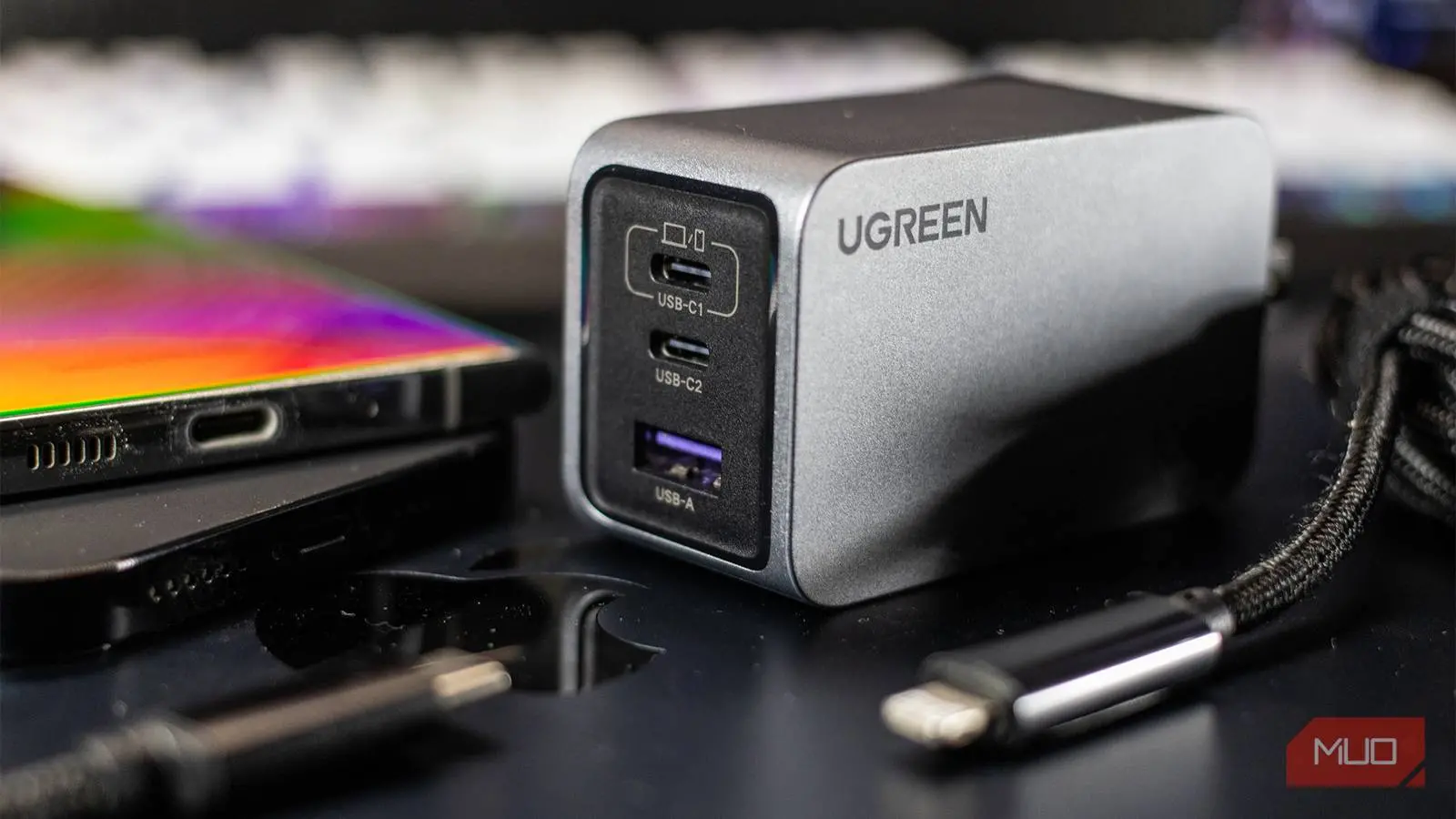
There was a time when buying a phone charger required zero thought. You opened the box, found a brick and a cable, and that was that. Those days are mostly gone, and anyone who has shopped for a charger recently knows how bewildering it can become. Shelves are filled with bricks boasting different wattages and cryptic acronyms like PD, PPS, QC, and GaN. I spent months buying the wrong ones before I finally understood what these terms actually mean. Once I did, choosing a charger became straightforward.
The confusion starts because almost any charger will technically work with your phone. A 5W brick from a decade ago will still deliver power, and your phone will eventually reach full charge. But 'works' and 'works correctly' are not the same thing. Without the right technology inside the charger, you might be charging at a fraction of the speed your phone can handle, or you could be paying a premium for wattage your device cannot even use. The key is understanding the language printed on the box.
Why buying a phone charger became so confusing
Before USB-C became universal, you only had to worry about USB-A ports and basic voltage. Now, even though almost all modern phones use USB-C, that hasn't simplified things as expected. Two chargers with identical USB-C ports can perform completely differently. One might charge your phone in half an hour, while the other takes two hours, even though both are rated for 20W. The difference lies in the internal logic and the standards they support.
Adding to the complexity, phone manufacturers have moved away from bundling chargers. Apple, Samsung, and others claim this reduces e-waste, but it forces consumers to navigate a market full of conflicting claims. Retailers display wattage prominently, but wattage alone is almost meaningless without context. To make a smart purchase, you need to know what USB Power Delivery, Programmable Power Supply, Quick Charge, and Gallium Nitride actually do.
USB PD, PPS, QC, and GaN – what they really mean
These terms appear on almost every modern charger, and each one tells you something specific about the brick's capabilities. Let's break them down.
USB Power Delivery (USB PD)
USB PD is an industry standard that allows a charger and the connected device to negotiate power levels dynamically. Instead of supplying a fixed voltage, the charger and phone talk to each other and agree on the safest, fastest combination. This standard can deliver up to 240W with the latest revision, but most phones use profiles between 15W and 100W. Almost every contemporary Android phone supports USB PD, and it is also the reason many laptops can be charged via USB-C. It's the baseline for fast charging today.
Programmable Power Supply (PPS)
PPS is an extension of USB PD that offers even finer control. While regular USB PD adjusts power in discrete steps (e.g., 5V, 9V, 15V, 20V), PPS can vary voltage continuously in small increments. This allows the charger to deliver exactly the voltage the phone requests at any moment, which reduces heat generation and improves efficiency. Lower heat means less stress on the battery, which can extend its lifespan. PPS is especially common on Samsung Galaxy devices, which require PPS support to achieve their maximum charging speeds.
Quick Charge (QC)
Developed by Qualcomm, Quick Charge is a proprietary fast-charging technology that predates USB PD. It is designed for devices running Qualcomm Snapdragon processors, though Qualcomm also licenses it to other chip makers. QC comes in several versions: QC 2.0, 3.0, 4.0, and 4.0+. Later versions are backward-compatible with USB PD. The main advantage of QC is that it can push higher voltages into devices that support it, but it is less flexible than PPS. Many mid-range Android phones still rely on Quick Charge.
Other proprietary protocols
Beyond these standards, phone brands have their own fast-charging technologies. OPPO's SuperVOOC, OnePlus's Warp Charge, Motorola's TurboPower, and Huawei's SuperCharge are examples. These typically require both the charger and the phone to be from the same brand to achieve the advertised speeds. They often operate at higher voltages or currents than standard USB PD and can sometimes deliver astonishing speeds, like 65W or even 150W. However, they are locked within each brand's ecosystem, so a SuperVOOC charger will charge a Samsung phone at standard PD speeds, not at the blistering pace it would on an OPPO device.
Gallium Nitride (GaN)
GaN is different from the other terms because it is not a charging protocol but a material. Traditional chargers use silicon semiconductors, which generate significant heat and limit miniaturization. GaN chargers use gallium nitride, a compound that conducts electricity more efficiently and produces less heat. This allows chargers to be much smaller and lighter for the same power output. A 65W GaN charger can be the size of a traditional 30W silicon brick. GaN also tends to run cooler, which can improve reliability and longevity. Almost all premium chargers now use GaN technology.
Why more watts don't always mean faster charging
It's tempting to buy the highest wattage charger you can find, believing it will charge everything faster. But wattage is not a one-sided decision. Your phone has a built-in maximum charging rate, and it will never exceed that limit, no matter what you plug in. For example, if your phone maxes out at 25W, a 45W charger will deliver the same speed as a 25W one. The extra wattage is simply unused.
Furthermore, the wattage printed on a charger is the maximum output across all ports, not a guarantee for each port simultaneously. Multi-port chargers share their internal power budget. A 65W dual-port charger might deliver 45W through one port and 20W through the other, or 30W each, depending on the design. If you plug in a laptop and a phone, the laptop will likely get priority. Always check the charger's specification table to understand how power is split among ports.
Another common mistake is assuming that a charger with higher wattage will charge your phone faster even if the phone supports the same protocol. That is true only up to the phone's limit. A phone that supports 45W PD will charge at 45W with a 65W PD charger, but no faster. The charger's extra capacity is only useful for simultaneously charging other high-power devices or for future-proofing when you upgrade your phone.
The cable matters as much as the charger
You can buy the perfect charger and still end up with slow charging if your cable is the bottleneck. Cables have their own current rating, typically 3A or 5A, and some older cables are limited to 2.4A. Even if your phone and charger support 65W, a cheap cable rated for 15W will restrict the power. Most modern phones still come with a cable in the box, but if you need a spare for your office, car, or travel bag, do not grab a random USB-C cable. Look for ones that are rated for the wattage and protocol you need.
For high-power charging (over 60W), you also need a cable with an e-marker chip that tells the charger it can handle the higher current. Without that chip, the charger will default to a lower safe level. E-marked cables are usually clearly labeled as supporting up to 100W or 240W. They are slightly more expensive but essential for fast charging laptops.
Stick with reputable brands
Finally, always choose chargers and cables from established brands like Anker, Belkin, Spigen, or the phone manufacturer itself. No-name chargers often inflate their specifications or lack safety features such as over-temperature protection, over-voltage protection, and foreign object detection. A cheap charger might deliver inconsistent power that damages your phone's battery over time, or worse, cause overheating and fire hazards. The few dollars saved are not worth the risk.
When you look at a charger's box, ignore the flashy marketing and focus on the supported protocols. Match those protocols to your phone's capabilities. If you own a Samsung Galaxy, look for PPS support. If you have a Pixel, standard USB PD is enough. If you still use an older phone that relies on Quick Charge, ensure the charger explicitly states QC compatibility. And if you travel often, a multi-port GaN charger with at least 65W total output will cover your phone, earbuds, and possibly a laptop.
Understanding these terms transformed my charging experience. I stopped buying overpriced bricks and started carrying a single, compact GaN charger that works with everything. The confusion is real, but once you learn what PD, PPS, QC, and GaN mean, you'll never waste money on the wrong charger again.
Source:MakeUseOf News