

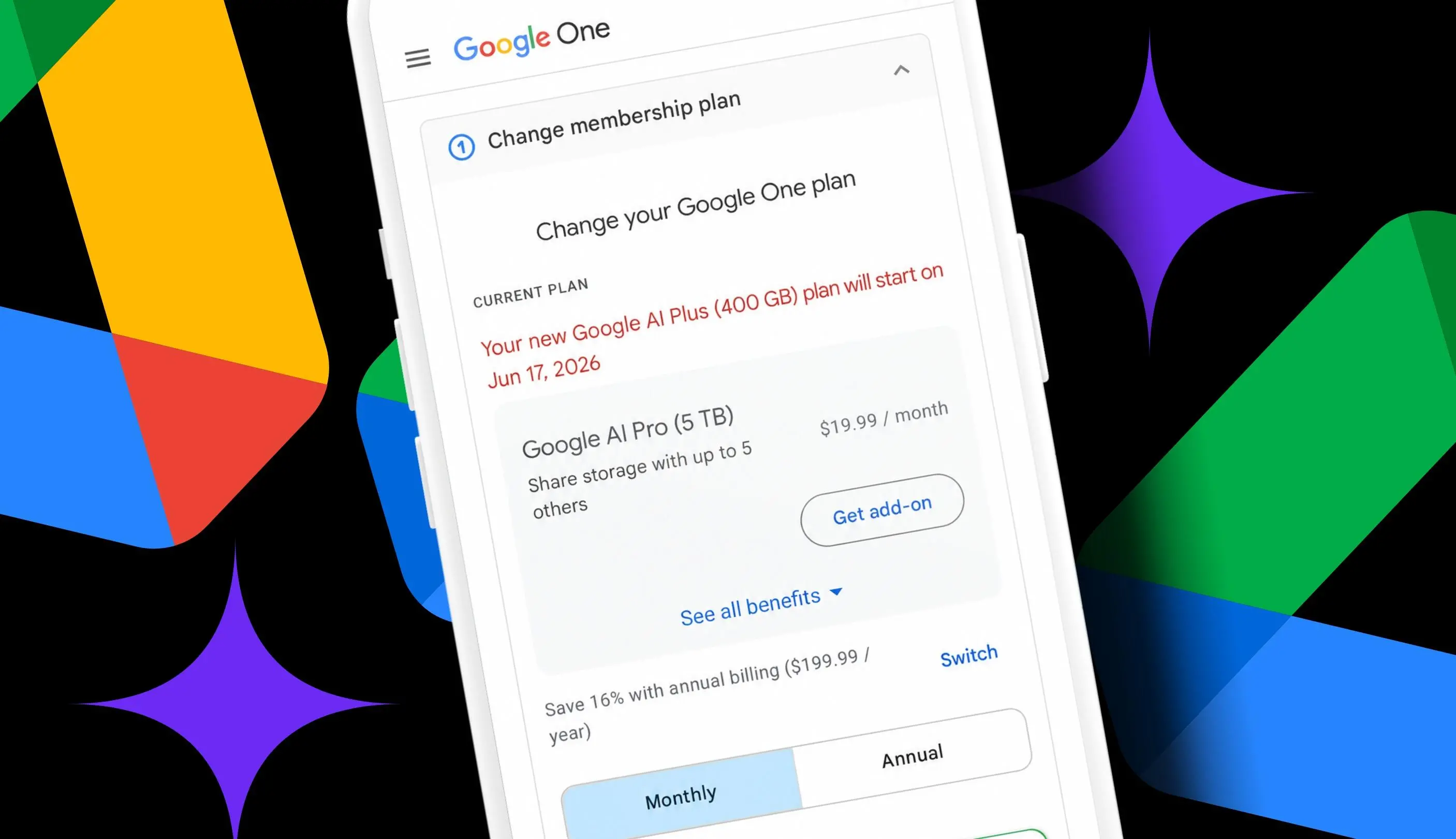
Subscription fatigue has a way of sneaking up on longtime cloud storage users. After 14 years of using Docs, Sheets, Slides and Photos, and uploading random files along the way, I now have about 340GB of digital material sitting in Google storage. That is well beyond the 15GB free allowance that comes with every account, so I had been paying $19.99 a month for Google AI Pro, a plan that includes 5TB of storage and access to the Gemini 3 Pro model in the Gemini app.
The problem was not the storage itself. It was the bundle. I wanted to cut back on subscriptions, and I barely used Gemini enough to justify the AI portion of the bill. What I needed was storage. So when Google changed its AI Plus plan to $4.99 a month and increased the included storage to 400GB, the math suddenly looked different. For the first time, there was a plan that covered my current storage needs and included Gemini access if I wanted it.
Key facts at a glance
- Google AI Plus now includes 400GB of storage for $4.99 a month.
- Downgrading from Google AI Pro to Google AI Plus could save $180 a year.
- Google One plans can be changed from the web or the mobile app.
- The 400GB tier leaves roughly 60GB of headroom for a user storing about 340GB.
- A separate $9.99 AI Plus option offers 2TB of storage and could save $120 a year compared with AI Pro.
Why the 400GB plan changed the math
Before the update, Google AI Plus was easy to ignore. It cost $7.99 a month at launch and included only 200GB of storage. That amount would not have covered my current 340GB footprint, so there was no reason to consider it. The new offer is $4.99 a month and comes with double the storage. For a longtime Workspace user, that is a meaningful shift. It turns a plan that was too small and too expensive into one that can be considered on both price and capacity.
The capacity calculation is straightforward. Moving from AI Pro with 5TB of storage to AI Plus with 400GB would leave me with only about 60GB of space. That is not a huge buffer when Gmail attachments, Drive uploads and Photos backups keep piling up over time. Still, it is enough room for my current needs. I checked my usage and found that I was using only 6% of the 5TB included in AI Pro. The 400GB plan would cover me, even if it would not leave the same generous cushion.
Google has said that if an account goes over its quota, the user might lose the ability to upload files to Drive, back up photos and videos, create new Google Workspace docs and use Gmail normally. That makes headroom important. A plan that is only just large enough can become a problem if a few large files or a new photo backup push usage over the limit. In my case, the 60GB gap is workable, but it is not unlimited. The 2TB AI Plus option for $9.99 a month is also worth noting because it offers much more room while still saving $120 a year compared with AI Pro.
The storage side of the AI subscription
Cloud storage has become one of those quiet recurring costs that many users do not revisit until a bill feels too high. Free storage used to be enough for documents, a few spreadsheets and a modest photo library. Over time, the same account can fill up with email attachments, shared files, photo backups, video clips and old project folders. The result is a subscription that may have been chosen for one reason, such as storage, but now includes features the user rarely touches.
That is the situation I found myself in. The AI Pro plan offered 5TB of storage and higher AI usage limits, but the storage was the part I actually relied on. The AI features were useful in theory, but not enough to justify the full monthly price. The new AI Plus plan fits a different profile: a user who needs more than the free 15GB, wants a reasonable amount of room and is comfortable with a lower tier of AI access. The plan includes 400GB of storage that can be shared across five family accounts, according to the plan details I reviewed.
The broader issue is that AI plans and storage plans are now tangled together. Google One options and Google AI options can look similar, and the names do not always make the differences obvious. Some users call these Google AI plans because several options include Gemini. But the practical question is simpler: how much storage does the account need, which benefits are actually used, and what does the monthly cost add up to over a year? Once those numbers are clear, the decision becomes less about the label on the plan and more about the value of the bundle.
How to check current Google storage
The first step is to check how much storage is actually in use. Go to the Google One dashboard in a browser or open the Google One app on a phone. Make sure the Google account tied to the paid storage plan is signed in. From there, look for the storage breakdown.
- On the web, Google shows the current plan at the top and then how much space is being used across Drive, Gmail and Photos.
- In the mobile app, storage appears at the top of the Home screen, and the current plan appears at the bottom.
In my case, the dashboard showed that I was using 6% of the 5TB given to me in the AI Pro plan. That confirmed that the 400GB AI Plus plan would cover my current storage needs. It also showed how much of the 5TB was being wasted on a plan that was larger than necessary.
How to manage a Google One plan
Next, go to the Google One membership settings to see the current plan, benefit details and other plans available. This is where the downgrade or upgrade process begins.
- On the web, look for the current plan area where Google shows the subscription, then click the Manage button.
- In the Google One app, look for the option to manage the membership toward the bottom of the Home screen.
The membership settings are also where the plan comparison becomes clearer. It helps to open every benefit detail rather than relying on the top-level price and storage number. A cheaper plan may remove features that were part of the bundle, and those features may or may not matter to the user.
How to change the plan
While managing a Google One plan, it may be necessary to click or tap See more plans to view the AI Plus options, especially when planning to downgrade. I had to do this because the options were hidden for me. Be sure to expand all the benefit details and read through each plan carefully to see what would be lost by switching to a cheaper option.
Google now has seven options, ranging from Basic with 100GB of storage and no AI to Google AI Ultra with 20TB and Gemini Pro. I also noticed another $9.99 option for AI Plus. It has all the same benefits as the $4.99 AI Plus plan, but with 2TB of storage. That option was tempting because it would provide much more headroom while still lowering the annual cost.
When ready to choose, click or tap the button on the plan to downgrade, upgrade or subscribe. The process is not complicated, but it does require attention. A plan change can affect billing, storage limits and access to bundled services, so it is worth reviewing the summary before confirming.
What is lost and what is kept
For me, downgrading to AI Plus with 400GB would mean losing higher Gemini AI usage limits and access to the 3 Pro model. I would also lose YouTube Premium Lite Individual, Google Home Premium and Google Health Premium. Those are real benefits, but I do not really use them now. The tradeoff is easier to accept when the lost features are ones that sit unused.
I would get to keep NotebookLM and Google Flow, plus the 400GB of Drive, Photos and Gmail storage to share across five family accounts. That combination matters more to me than the higher AI limits. The decision is not about saying that one plan is better for everyone. It is about matching the plan to actual usage. A user who relies on advanced Gemini features, YouTube Premium Lite or the other bundled services may find that AI Pro is still the better fit. A user who mainly needs storage may find that AI Plus is enough.
The annual savings
Dropping from AI Pro at $19.99 a month to AI Plus at $4.99 a month would save $180 a year. The math is easy: the monthly difference is $15, and $15 multiplied by 12 is $180. The 2TB AI Plus option at $9.99 a month would save $120 a year. Both are real subscription cost cuts, and both keep a storage plan in place rather than dropping paid storage altogether.
For users who need more than 400GB, the $9.99 plan may be the more practical choice. It offers 2TB of storage, which is five times the capacity of the $4.99 tier, while still costing $10 less per month than AI Pro. For users who are closer to my 340GB footprint, the $4.99 plan covers the current need with about 60GB left over. That headroom is not enormous, but it is enough to make the cheaper plan viable for now.
The key is to check usage first, read the plan details carefully and compare the annual cost rather than only the monthly price. A $15 monthly difference may not feel dramatic on a bill, but it adds up to $180 over a year. In a subscription-heavy household, that is the kind of saving that can fund another service or simply reduce recurring costs. The 400GB AI Plus plan does not solve every storage problem, but for a user with about 340GB of data who barely uses the advanced AI features, it covers the need at a much lower annual price. The $9.99 2TB option remains the middle path for users who want more buffer while still cutting $120 a year.
Source:ZDNET News